OpenLux
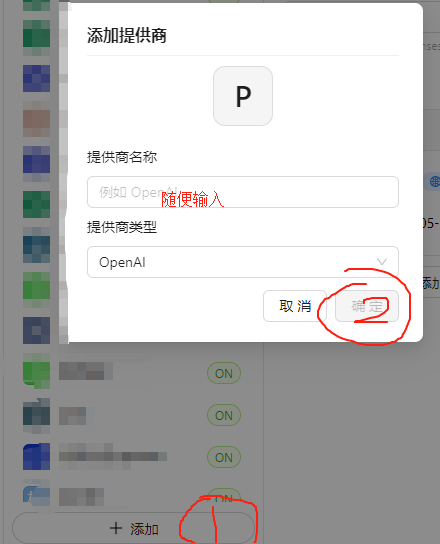
Cherry Studio Setup
Client download:
https://www.cherry-ai.com/
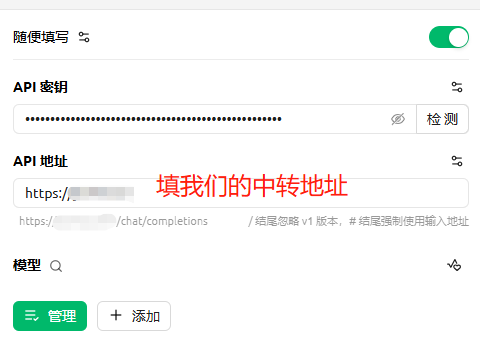
Configure base URL and API key
API base URL:
https://api.openlux.ai
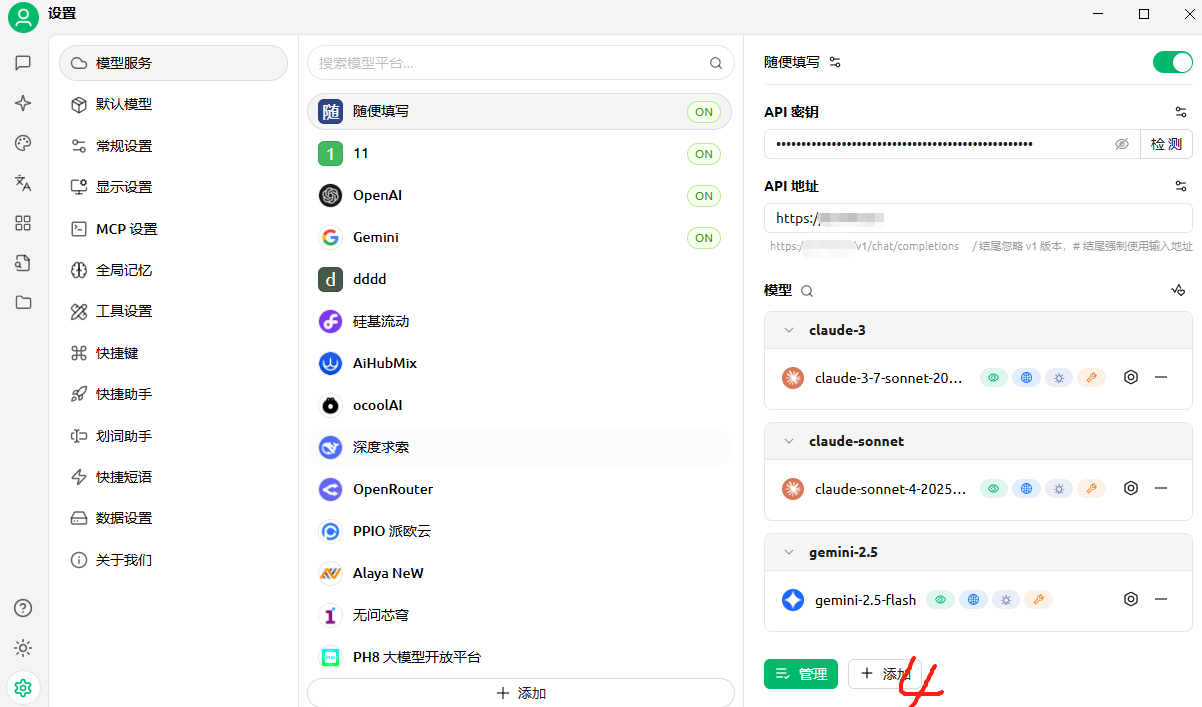
Add a model
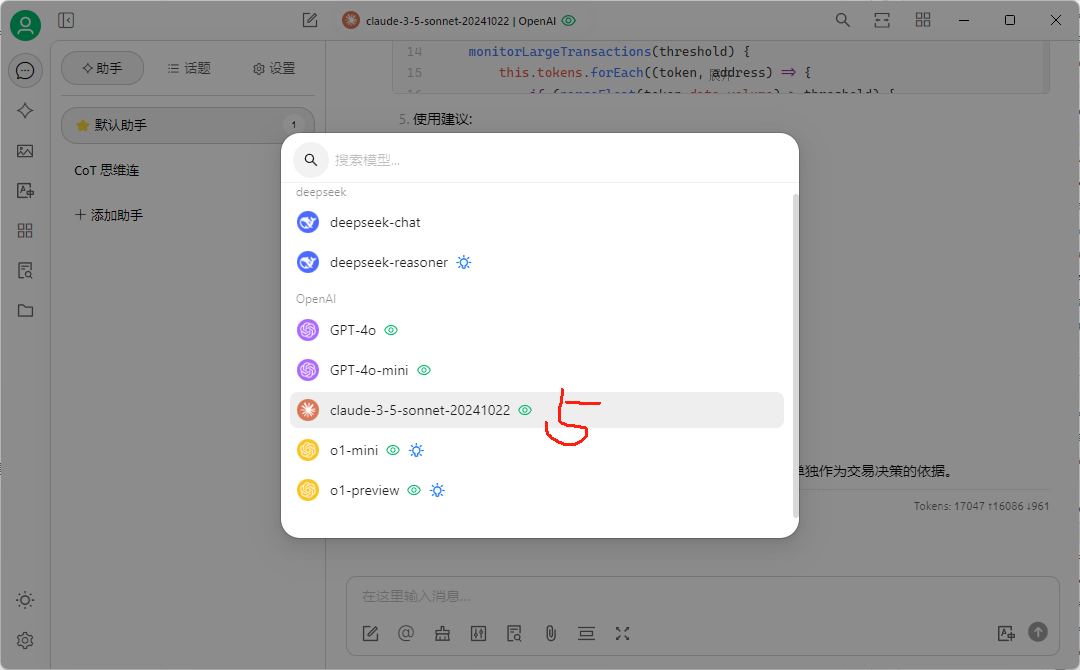
Select a model to use
Guides
Getting Started
Quick Start (Python)
Async Task Guide
Docs MCP API
HTTP Status Codes
Group Quirks & Price Differences
Proxy API Base URL
API Key Quota Lookup
Create a Token for a Specific Group
Free AI Chat Project Directory
API Quick Start Guide
Python Speech-to-Text
Python Text-to-Speech
Python Embeddings
Python DALL·E
Python OpenAI Function Calling Demo
Python LangChain OpenAI Demo
Python LlamaIndex Setup
Python Basic Chat
Python GPT-4o Vision (Local Image)
Python GPT-4o Vision
Python Claude Vision
Python SDK Streaming
GPT Realtime API
Python Requests Streaming Demo
Python gpt-image-2.5-sunburst Create/Edit
Python OpenAI Official SDK (AutoGPT, LangChain, etc.)
Python Multi-turn Chat
Python gpt-image-2.6 generate & edit (SVG / GIF output)
Node.js Basic Chat
PHP Image Edit Demo
Coze Workflow with Relay API
RikkaHub Setup
Codex Setup
OpenClaw Clawdbot Custom Relay Setup
OpenClaw Latest Custom Relay Setup
n8n Workflow with Relay API
Gemini CLI Relay Setup
Claude Code Install & Usage
Cherry Studio Claude MCP
Cherry Studio Setup
Cherry Studio Banana Pro 4K & Resolution
Cherry Studio o4 Reasoning Level
Add Models in Dify
Cline Setup
aider Setup
Cursor Setup
LobeChat Setup
ChatBox (Recommended)
Open-source GPT Academic
NextChat Setup
Zotero GPT Setup
Claude Dev Setup
Immersive Translate (GPT)
Browser Extension ChatGPT Sidebar
chatgpt-on-wechat Setup
ChatGPT GPT Academic Setup
n8n Local Image to Video Example
Coze Workflow: Input to URL
OpenCode Setup
OpenClaw with CC Switch Custom Relay
AI Response Fields: Thinking
Image Host API
API Reference
Google Gemini 原生 (v1alpha) Relay API
Luma Relay API
Luma V1 Relay API
Omni 视频 Relay API
Pixverse Relay API
Sora2 Relay API
Suno Relay API
Playground Relay API
账号与令牌 Relay API
阿里 Pix Relay API
Fal.ai Relay API
Replicate Relay API
OpenAI 兼容 Relay API
Google Gemini 原生 Relay API
Seedance 2.0 Relay API
MiniMax Relay API
Kling Relay API
Midjourney Relay API
支持模型列表 Relay API
统一视频 VEO Relay API
Grok Imagine Relay API
Vidu Relay API
阿里百炼 Relay API
腾讯云 VOD Relay API
豆包 Volc Relay API